A till that knows every lot
For cash & carry halls where florists pick their own buckets and pay at the counter. Scan the lot label, take payment the way the customer wants, and close the day with a counted drawer.
- Lot labels
- EAN and VBN codes
- Split payments
- On account
- Customer cards
- X and Z reports
- Packaging at the till
Where the counter slows down
What goes wrong at a busy till on a Saturday morning, and how Stemkeep handles it.
-
A queue while the till looks up prices
The till screen never reloads. Scan the lot label, EAN, product or VBN code; the same lot again adds to the line. The price comes from the lot, at today's price for this customer.
-
The hall sells what the desk already sold
All tills, the sales desk and the webshop work on one server. A lot is locked while it is being sold, so two tills cannot sell the same bunches.
-
Old invoices nobody chases
When a regular customer pays, the till lists their unpaid invoices. Tick the ones to settle and they are paid in the same transaction.
-
Packaging that walks out the door
Buckets and trolleys go on the sale and into the customer's packaging ledger. Returns are counted right at the till.
-
A drawer that does not add up
Each till has its own shift with opening cash, payouts with a reason and a counted close. Voids and price changes carry the name of whoever made them.
-
The internet drops on a busy day
The offline till keeps selling from a pack of lots and prices, for cash or card. Sales are written once when the connection returns, and a supervisor reviews any conflict.
Every bucket in the hall is a lot
What stands on the floor is known by lot: grower, age and what is left. The till sells from those lots, oldest first, and the stock is right the moment the customer leaves.
- Lot label, EAN, product code or VBN code
- Ageing discounts as lots get older
- An unknown code shows a warning, not a dead end
- Reorder by scanning the supplier's code
Let customers pay their way
Payment methods are set per customer or per branch. The customer's setting comes first.
-
Cash with change
Opening cash per currency, change worked out by the till, payouts recorded with a reason.
-
On account and direct debit
Regular customers buy on account within their credit terms, or pay by direct debit with a mandate.
-
Split payments
Part cash, part card, part on account, in one sale.
-
Promotions and loyalty
Promotions with priority and stacking, loyalty points with expiry, vouchers and gift cards. Every discount shows its reason on the line.
-
Customer cards
Cards with a Code128 barcode and a QR code find the customer in one scan.
-
Card terminal
Drivers for Adyen and Pay. terminals, with partial payments and refunds to the card, are built. Until your terminal is connected, the cashier confirms card payments by hand.
Connector ready -
Receipt printer
ESC/POS receipt printers are supported and ready to connect. Receipts as PDF, and delivery notes and invoices by e-mail, work today.
Connector ready
Every till sale is a normal order
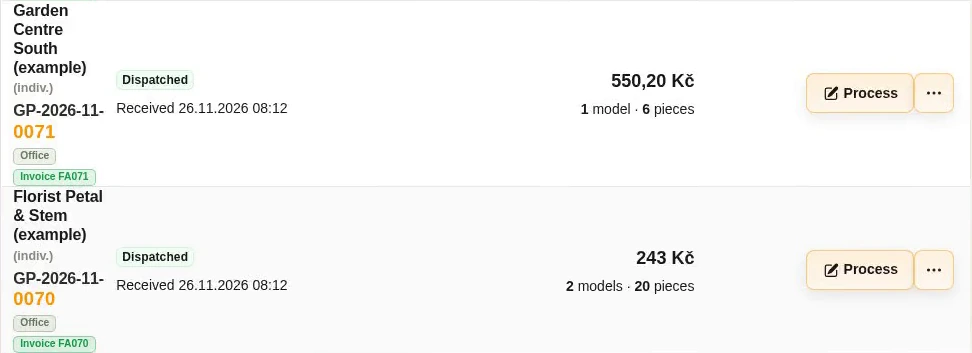
A sale at the till is written as an order from lots, shipped at once and invoiced. Pre-orders for pickup are finished at the counter, and everything shows up in the same order list and figures.
- Customer by name, number or card
- Open orders finished at the counter
- Delivery note, invoice and receipt printed or e-mailed
- Signature on the screen for sales on account
A day at the till
From the opening count to the Z report, every step leaves a record.
Open the shift
Count the opening cash per currency. The till is yours until you close it.
Sell
Scan, choose the payment, print or e-mail the documents.
Pay out
Cash taken from the drawer is booked with a reason, so the evening count adds up.
Count and close
Count the drawer. The till shows the difference against what should be there.
Report
X report during the day, Z report at the close, as PDF, with payments split by method.
Who works in the hall
Same lots, same prices, each person on their own screen.
-
Cashier
Sells, takes payment, settles open invoices and closes the shift.
Till screen in the browser
-
Floor staff
Refills the hall, scans supplier codes to reorder, writes off damaged stems with a reason.
Handheld
-
Buyer
Turns the branch's draft proposal into orders to growers, rounded to whole packages.
Buying screen
-
Office
Checks the cash-ups, follows open invoices and credit limits.
Office screens
-
Manager
Sees cash in open till shifts, revenue and waste, on the phone.
Management page
Questions from cash & carry
Do we need special till hardware?
No. The till runs in the browser on a PC or tablet with a barcode scanner. The card terminal and receipt printer drivers are ready to connect; PDF receipts work today.
Can we run several tills?
Yes, as many per branch as you need, each with its own shift and cash. They share one server, so there is nothing to synchronise.
What happens with a sale on account?
The till checks the customer's credit terms, the customer signs on the screen, and the signature is stored on the order and printed on the delivery note.